Eiciel
GNOME File ACL editor
Welcome to Eiciel website, GNOME file ACL editor.
Maybe you are wondering what Eiciel is useful for.
December 30th 2022 Eiciel 0.10.0 is out! This is a major release, updated to GTK 4.x and GNOME Files 43. GNOME 42.0 or earlier won't be supported anymore from now on.
August 26th 2021 Eiciel 0.9.13.1 is out! This is a minor fix release. Solves a missing file in the archive and adds some compatibility support to build on old distributions like CentOS 7.
August 24th 2020 Eiciel 0.9.13 is out! This update includes the long-requested feature of recursive changing of permissions and some minor cleanups (mostly non-functional changes). Only of interest for developers and packagers: a new meson-based build-system which at some point will replace autotools.
January 16th 2018 Eiciel 0.9.12.1 is out! This is a minor update including a correct (according to desktop-file-validate) Desktop file.
January 15th 2018 Eiciel 0.9.12 is out! This is a minor update to make Eiciel more compliant with the AppStream specification. Thanks to Michael Biebl for his heads up about this.
September 11th 2015 Eiciel 0.9.11 is out! Eiciel is now available in 16 languages! The Novell Language team has kindly contributed 13 translations and updated 3 existing ones. Feel free to contribute new translations or improve the existing ones in their translation project website. Contributed translations will be incorporated in later releases of Eiciel.
August 30th 2015 Eiciel 0.9.10 is out! This is a minor bugfix release. It fixes a problem with GTK+3.14 where checkboxes in the Access Control List were not properly rendered.
August 20th 2014 Eiciel 0.9.9 is out! This version includes a new filter box contributed by Dariusz Gadomski. It also features several changes in the UI to make it a bit more consistent with the GNOME HIG. Also the help has been ported from DocBook to Mallard.
July 17th 2014 Eiciel 0.9.8.3 is out! This version does not include any new feature but better integration with PackageKit.
November 17th 2013 Eiciel 0.9.8.2 is out! This version includes a fix for ineffective permissions not correctly rendered in GNOME 3.
November 26th 2011 Eiciel 0.9.8.1 is back!
We suffered a disk failure a couple of months ago and we restored a bit too old backup of the website.
This version includes support for GTK+3 and GNOME 3 as kindly contributed by Alexandre Rostovtsev.
I have also moved the code to github so everyone can clone it and improve Eiciel :)
June 24th 2010 Eiciel 0.9.8 is out! This version contains several fixes kindly contributed by the Debian maintainer Michael Biebl. Unfortunately 0.9.7 version broke the translations. This should be working again. German translation has been updated to the latest strings by Michael Biebl.
June 2nd 2010 Eiciel 0.9.7 is out! This is a catch-up with all the Debian patches as kindly contributed these last two years by Michael Biebl and Andreas Henriksson. Also, the source code has been translated into English so if you want to contribute you can understand the code :)!
April 12th 2008 Eiciel 0.9.6 is out! This is just a minor bugfix release for smoother integration with forthcoming GNOME versions. Thanks to Michael Biebl, Debian maintainer of Eiciel, for the contributed patch.
October 22nd 2007 Eiciel 0.9.5 is out! Well, almost a year passed without too much news in Eiciel. Michael Biebl, Debian maintainer of Eiciel, sent me a patch to make Eiciel a full GNOME application in order to solve the continuous help breakage (the code to run help was copied from elsewhere and was not robust). Thank you Michael!
November 12th 2006 Eiciel 0.9.4 is out! This is another small bugfix release to improve compatibility with filesystems implemented using FUSE (like fusedav). If you downloaded version 0.9.3 please discard it and get this newer version.
June 24th 2006 Eiciel 0.9.2 is out! This is just a small bugfix release for GNOME 2.14 users. Nautilus will not hang now when the user opens properties of Computer, Home or Trash locations in Nautilus (including the Desktop).
March 11th 2006 Eiciel 0.9.1 is out! It features a swedish translation and an icon entry for Freedesktop compliant environments.
March 7th 2006. Alvaro Ortega has implemented the long awaited ACL support for Nautilus. When added in the mainline of Nautilus, I will stop Eiciel development. Despite of this, a new 0.9.1 version of Eiciel will be released soon. I want to thank very much to all users and kind contributors to Eiciel!!!
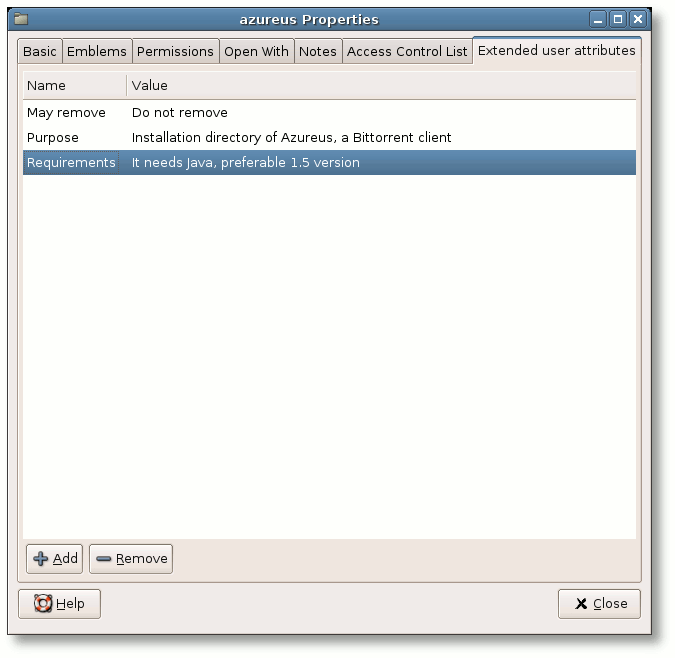
December 26th 2005 Eiciel 0.9 is out! It allows to edit GNU/Linux extended user attributes where filesystems support it.
December 8th 2005 New version 0.9 of Eiciel will be soon available. It will feature support for extended user attributes both for the standalone application and nautilus property page.
October 23rd 2005 Until Eiciel 0.8.4, Nautilus property page only considers local file systems. As several remote file systems (like NFSv3 and Samba CIFS) have ACL support you can apply this patch to enable this functionality in the property page within Nautilus. Standalone application does work with remote file systems. This patch will be included in the next release of Eiciel.
October 1st 2005 Eiciel 0.8.4 is
out! It fixes several bugs in 0.8.2 and adds nice icons :). There was
a bug with Default ACL
button fixed in this release (not in any
previous patch). Note: If you downloaded any
0.8.3 release, please discard it since it is plain wrong.
September 9th 2005 There is a small bug that can
crash your Nautilus when opening properties of Computer
in the GNOME
Desktop. Andreas Kohn has kindly reported this bug. If you are a package maintainer of
Eiciel you can use this patch.
September 8th 2005 Eiciel 0.8.2 is out! This is a small bugfix release. Very much thanks to Michael Biebl for contributing a german translation of Eiciel. He has also pointed me some issues that have been solved in this release.
August 20th 2005 Eiciel 0.8.1 is out! This is merely a bugfix intended only for FreeBSD 5.x users. There was a bug in ACL managing code that triggered an error when working with directories that had no default ACL entries. GNU/Linux ACL libraries do not expose this problem. If you are a FreeBSD user and you are not willing to update again you can use this patch.
August 19th 2005 Eiciel 0.8 is out! This new version comes with some enhancements kindly suggested by users. First you have a checkbox to hide system users or groups (those with id < 1000) and a read only mode useful when you cannot modify the ACL's. The name of the user and group owner are shown instead of "User" and "Group". Finally ACL managing code has been slightly hardened for some strange situations.
August 13th 2005 We have migrated Eiciel source to Subversion source management system. Soon a new 0.8 version will be released with some suggestions kindly made by Eiciel users.
June 10th 2005 Eiciel 0.7 is out! This new version adds the missing support for GNOME Nautilus 2.10 property pages. You will need GNOME 2.10 or later to use this version. It won't work in GNOME 2.6 or 2.8. Eiciel 0.6 works in GNOME 2.10 but will not feature the property page.
June 5th 2005 Due to incompatible changes in GNOME 2.10 Nautilus internals, 0.7 and later versions of Eiciel will not work in GNOME 2.8 or previous. So if you plan to use Eiciel on those environments you will have to stick at Eiciel 0.6. Soon a 0.7 version will be released with support for GNOME 2.10 Nautilus.
April 10th 2005 Debian Sid package available in download section. Thanks to Cid.
April 2nd 2005 Eiciel 0.6 is out! This new version improves the GUI and is the first using GTK+ 2.4. You can use drag and drop, double-click or the popup menu to add and remove entries.
April 2nd 2005 We are renewing the website in order to make it just a bit more international. Slowly, the content will be updated for the forthcoming 0.6 version of Eiciel :)